




The primary goal of every business website is to rank higher in the search engine and attract potential customers. This can only happen when the site is properly optimized based on the search engine requirements and user expectations.
Previously, website optimization was considered a time-consuming task that often required professional assistance. However, with the passage of time, many modern tools have been introduced to simplify this work.
These tools have streamlined website optimization for almost everyone. Businesses can choose the right tools to improve their online presence without putting in excessive effort. In this blog post, we’ll discuss some useful and practical tools that can help optimize your website. So read on until the end.
Reliable Tools for Optimizing a Business Website
Each of the following tools serves a specific purpose, helping you improve performance, content quality, and search visibility more effectively. Let’s discuss them one by one in detail.
SEMrush
When it comes to the website optimization tools, SEMrush is a tool that stands out as a brand. It is an all-in-one optimization platform that offers a wide range of features. For instance, it helps identify high-ranking keywords that you can use to create blog posts and strategically integrate into your website content.
All you need to do is simply enter a phrase, and SEMrush will generate a list of numerous keywords along with their volume, keyword difficulty, and many more insights. The insights will help you decide which keywords will be suitable for your business.
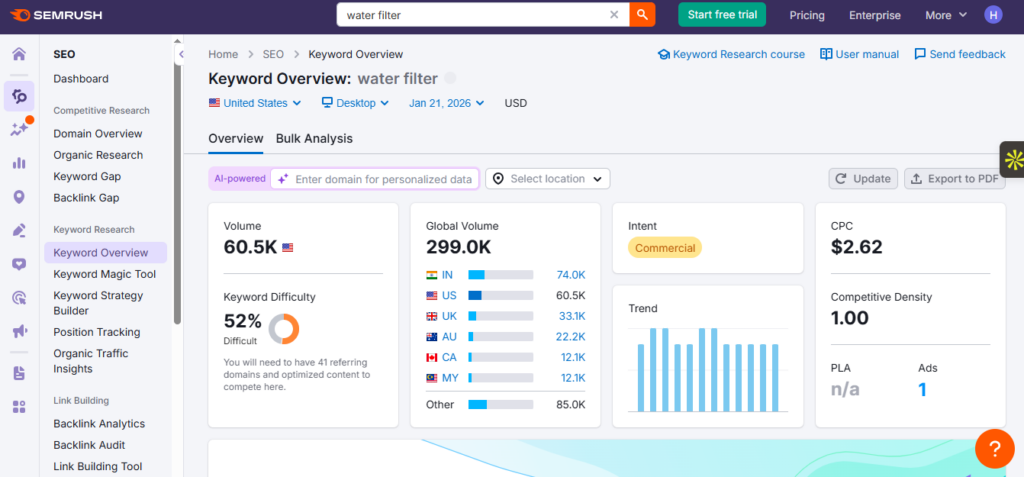
Furthermore, SEMrush also provides the option to track your business website rankings in terms of traffic, user engagement, etc. By using the tracking feature, you can tailor your optimization accordingly.
Apart from this, the tool also offers a facility to check and analyze backlinks. This feature helps you determine which links are actually passing a good link juice, and which ones are causing problems.
Key Features:
- All-in-one website optimization tool
- Available in both free and paid versions
- Position tracking in SERP
- Site audit and backlink analytics
Page Speed Insights
We all know that website loading is a confirmed Google ranking factor. So, during the optimization process, you must take this factor into consideration. Evaluate the speed with the help of Page Speed Insights.
A free tool that helps people check the speed of a website or any of its specific web pages. Once the evaluation process is done, the tool provides a score from 0-100, indicating how well the entered URL is loading and performing on both mobile and desktop devices.
If the score is above 90, then it’s great, and if it’s under 50, then this clearly means your website or page has performance issues. Optimization is required.
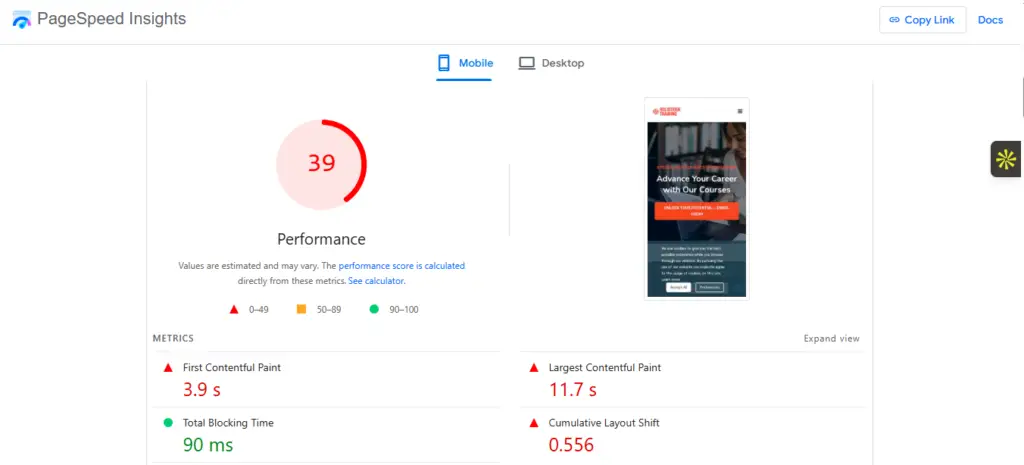
One of the amazing things is that, Page Speed Insights highlights the issues due to which the page is struggling in terms of loading. Along with this, the tool also mentions how exactly the highlighted issues can be resolved.
So, by taking necessary steps, you can efficiently enhance the loading performance of your website – a good indication of perfect optimization.
Key Features:
- Simple and free to use
- Offers insights separately for both mobile and desktop users
- Highlight issues along with helpful suggestions
- Provides a performance score (0-100) for better evaluation
Screaming Frog
Screaming Frog is one of the most popular optimization tools right now. It helps people crawl and audit websites to ultimately find technical SEO issues. The tool crawls web pages just like a search engine, including links, images, scripts, etc.
Additionally, the tool can help identify technical errors such as broken links, redirect chains, missing/duplicate titles and descriptions, and many more. It supports integrations with different Google tools, including Google Analytics, Search Console, and Page Speed Insights, to quickly pull out the relevant data.
The tool offers a visual site architecture option, using which you can see your site structure and the relationship of all internal links. Furthermore, Screaming Frog is available in both free and paid versions. The free version has some limitations.
Key Features:
- Offers both free and paid versions
- Integration with other tools
- Site audit and crawling
- Visualization of site structure
Google Search Console
There is no doubt that Google Search Console is an analytical tool that provides detailed insights about how your website is performing in the SERP. But let us tell you that it can also be used as a website optimization tool; let us explain how.
The insights it offers will help you optimize the website according to the real search data, including keywords, impressions, average position, and click-through rates. These valuable insights will ultimately help you make informed decisions.
Additionally, Google Search Console also tells which pages are struggling with indexing issues and which ones are providing excellent results in terms of rankings. Using its URL inspection feature, you can actually see how Google sees them.
In short, Google Search Console offers numerous insights for your website performance, which will help you make informed decisions regarding optimization.
Key Features:
- Free to use facility
- Highly quick and accurate insights
- Analyze the ranking of different pages in SERP
- Helps makes informed optimization decision
Hotjar
Beyond traditional insights, Hotjar tells the website owners what exactly the visitors do on the website. In simple words, it helps determine in what way visitors behave along with the reasons. For this, the tool shows where they click, scroll, and move their mouse. This helps identify which part of the web page is actually grabbing attention.
Furthermore, the tool also helps track user drop-off across different conversion steps. Additionally, Hotjar also assists in spotting trends in user engagement over time to understand where improvement is required. You can then take necessary steps to optimize the site’s user experience.
The tool offers both a premium and a free plan; you can go with any based on your specific optimization requirements.
Key Features:
- Easy to use
- Helps understand user behavior
- Optimize your website user experience
- Free & paid plans available
Minifier
Much of a website’s code exists just to make the interface look good and functional. But it plays a key role in website loading speed, which is a confirmed ranking factor for search engines. If your business website has lengthy or bloated code, it will take longer to load, which negatively impacts user experience and search engine rankings.
Therefore, to achieve optimization, it is important to minify the code, reducing it to only what’s necessary. Minifier is a reliable tool that can help you do this quickly and accurately. It is completely free and can condense HTML, CSS, and JavaScript with just a single click.
During minification, it removes unnecessary elements, such as divs, characters, line spacing, and line breaks. The good thing is that it makes sure that the original functionality of the code remains perfectly intact even after minification.
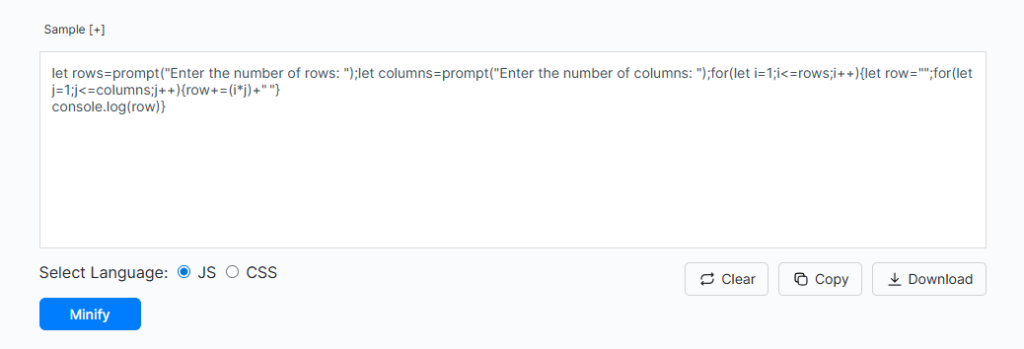
Furthermore, Minifier has no restrictions on code length. This means you can minify as much code as you want at once.
Key Features:
- Completely free to use
- Retains the original functionality of the code
- Highly accurate and fast
- No restriction
Editpad Plagiarism Checker
Search engines like Google prefer content that is unique and original, and such content is more likely to rank higher in the SERPs. So, to keep your business website properly optimized, it is necessary to make sure that all the published content is original.
So, how can you check if your site has any duplicate or plagiarized content? Well, it’s easy with Editpad plagiarism checker. It is a freemium tool that works by scanning and comparing the given content with millions of already published blogs, papers, journals, etc.
If any match is found, the plagiarism checker will underline the text with a red line along the matched source.
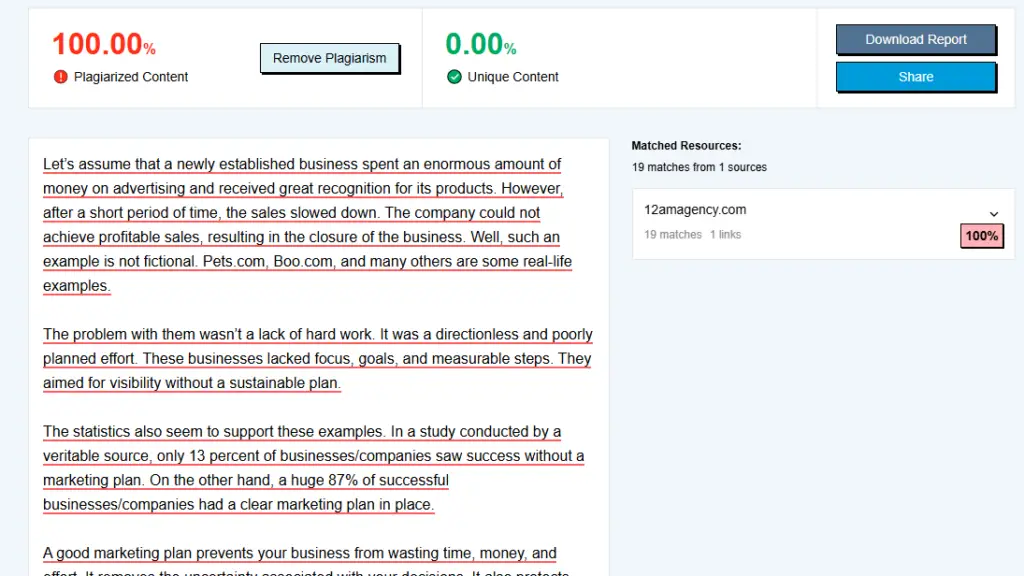
When the scanning process is done, the tool provides a percentage of both unique and plagiarized content. You can easily and quickly revise the duplicate parts to remove plagiarism. This plagiarism checker allows scanning up to 1,000 words in the free version, which can be increased up to 15000 by switching to its premium plan.
Key Features:
- Simple to use
- Checks 1,000 words for free
- Helps ensure whether the web content is unique or not
- Provides the percentage of both original and plagiarized content
Grammar Check
If your content has a lot of grammatical errors and mistakes, it will be unlikely to be considered ‘’helpful’’ by the readers. This, in turn, sends a negative signal to search engines, which can lower your site’s ranking and reduce overall visibility.
For this purpose, a grammar checking tool can be used. It quickly and efficiently scans the entered text to find all types of errors related to grammar, spelling, and punctuation.
The good thing is that, it highlights mistakes in different colors. For example, grammar errors are highlighted in red, spelling mistakes in yellow, and punctuation issues in blue.
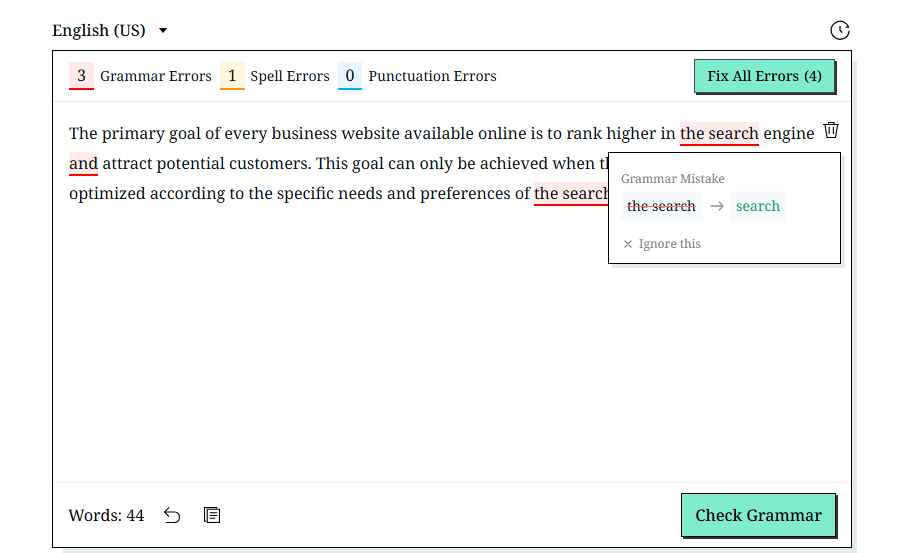
This tool not only identifies errors, but also offers appropriate suggestions to fix them. You simply have to click over the mistake and select the suggestion from the drop-down menu. Mobile users can also use it on the go, as it’s available for both Android and iPhone users.
For desktop users, dedicated applications are available for Windows and Linux. In addition, the tool supports grammar checking in multiple languages, including Spanish, German, French, and others.
Key Features:
- Simple interface
- Auto error detection & fixing
- Multiple language support
- Mobile applications available
Imagetotext.me Image Compressor
Another tool great for business website optimization is an image compressor. Business websites often host images that showcase infographics, charts, graphs, and product or service features. Images are among the heaviest assets that slow website loading. With the image compressor tool, you can easily reduce an image’s file size by removing occluded parts, hidden layers, and small, unnoticeable details. The result is quite good: you get a high-quality image at a fraction of its original size, significantly reducing website load times.
Key Features:
Free to use
Supports batch processing
No usage limits.
Final Words
Optimizing your business website for better rankings in the search engine is no more hectic task. This is because the internet is filled with a number of online tools that have made optimization a lot easier for almost everyone. All you need to do is use the right tools. Some of the best ones are discussed in this blog; hopefully, you will find the given information valuable and interesting.