


Optimizing above-the-fold content for SXO (Search Experience Optimization) is the single most effective way to capture organic search traffic before users bounce. When an organic visitor clicks your link on a search engine results page (SERP), your initial screen view has less than three seconds to prove they have arrived at the right destination. Traditional search engine optimization earns the click, but Search Experience Optimization ensures that the initial screen view satisfies intent, builds immediate trust, and encourages deeper engagement.
If your hero section is cluttered, slow to load, or filled with vague marketing copy, visitors will instantly return to Google—a negative user signal known as pogo-sticking. Structuring your initial screen view around user search intent creates a frictionless entry point that increases dwell time and drives conversions.
Key Takeaways
| Problem | Action | Outcome |
| High post-click bounce rates from search visitors | Align initial viewport messaging directly with the target search query | Confirms intent in under 3 seconds and stops visitors from returning to Google |
| Slow page loads and layout shifts in the hero section | Optimize hero images, defer non-critical scripts, and reserve explicit image dimensions | Improves Core Web Vitals (LCP and CLS) and protects organic rankings |
| Mobile users abandoning pages due to cluttered screens | Simplify hero areas for small screens with single-column layouts and clear value statements | Elevates mobile engagement and aligns with Google’s mobile-first indexing |
What is Above-the-Fold Content and Why is it Crucial for Search Experience?
The term “above the fold” originates from the newspaper industry, where the day’s top headlines were printed on the top half of the folded front page to attract newsstand buyers. In web design and Search Experience Optimization, above-the-fold content refers to the portion of a web page visible on the user’s screen immediately upon loading, before any scrolling occurs.
While screen dimensions vary across desktop monitors, tablets, and smartphones, the strategic objective of the initial viewport remains constant: immediate orientation and intent validation.
Why the Initial Screen View Dictates SXO Success
When searchers execute a query, they have a specific goal in mind. They might seek a direct answer, a commercial solution, or technical guidance. When your page loads, the initial screen acts as a visual contract.
- Micro-Evaluations: Visitors perform an instant subconscious check: “Does this headline match my search? Is this site credible? Can I find my answer here?”
- First Impression Bias: Users formulate an opinion about your website within 50 milliseconds. A clean, professional hero layout instantly lowers perceived effort.
- Crawl and Rendering Priority: Modern search crawlers evaluate layout structure during rendering. Pages that present primary content upfront rather than hiding it beneath massive ads or generic banners perform better in search rankings.
Understanding how initial screen elements fit into broader page architecture helps create cohesive user journeys. Learn how overall structural decisions influence engagement in our detailed breakdown of how page layout impacts SXO.
How Does Immediate Intent Validation Above the Fold Prevent User Bounce Back?
Immediate intent validation is the practice of explicitly mirroring the user’s search query and underlying intent within the top viewport section. When searchers click a search result, they experience a brief moment of orientation uncertainty. If your top viewport fails to validate their decision, they experience cognitive friction and leave.
POOR INTENT VALIDATION (High Bounce Rate):
Search Query: “Commercial Roof Repair Services”
Above-the-Fold: “Building Excellence for Future Generations” (Vague Slogan) + Stock Photo
Result: User confused → Exits back to Google (Pogo-Sticking)
OPTIMIZED INTENT VALIDATION (High Dwell Time):
Search Query: “Commercial Roof Repair Services”
Above-the-Fold: “Fast Commercial Roof Repair & Inspection” + Clear Subhead & Immediate Contact Button
Result: Intent confirmed instantly → User scrolls or submits inquiry
Strategic Alignment Strategies
- Verbatim Keyword Context: Use your target topic or primary search concept directly in your H1 heading. If a user searches for technical SXO strategies, seeing those exact terms above the fold reassures them they chose the correct link.
- Clear Value Propositions: Pair your primary heading with a concise 1-2 sentence subheading that explains the specific benefit of reading the page or using your service.
- Immediate Answer Snippets: For informational searches, provide a concise 40-50 word summary or definition box at the very top of the page. This satisfies immediate curiosity while inviting the user to scroll for comprehensive details.
Executing this post-click alignment requires sharp copywriting principles. Discover how formatting and phrasing keep searchers hooked by reviewing our guide on SXO content writing techniques.
See exactly where your profile stands right now.
Our GBP audit shows your current rank position across your market, how your profile completeness scores against competitors, and the specific gaps holding you back from the Map Pack.
What Key Elements Belong in the Initial Screen View of a High-Converting Page?
A high-converting initial screen balances information, visual clarity, and user guidance without overwhelming the reader. Including key essential components ensures your hero section works for both human visitors and search engine crawlers:
1. Primary H1 Heading
Your H1 is the visual and structural anchor of the page. It must clearly state the page’s core subject using strong, simple language while naturally incorporating your primary target keyphrase.
2. Supporting Subheading (H2 or Lead Paragraph)
Expand on the main heading by addressing the user’s specific pain point or offering a clear summary of what the page covers. Keep this section under 30 words to avoid visual clutter.
3. Primary Call-to-Action (CTA) or Jump Navigation
For transactional or commercial pages, offer a high-visibility primary button (e.g., “Get a Free Audit” or “View Pricing”). For long-form informational guides, provide a compact, clickable table of contents or quick-jump menu to help readers jump directly to key sections.
4. Direct Proof & Trust Signals
Incorporate subtle credibility indicators above the fold, such as review star ratings, client logos, industry certifications, or brief press mentions. Trust signals lower user skepticism instantly.
5. High-Relevance Supporting Asset
Use an image, visual chart, or interactive element that directly relates to the topic. Avoid generic, disconnected stock photos that add no informational value.
When designing landing page elements, integrating these assets into broad digital workflows yields the best performance. Learn more about structural optimization through our dedicated web design and development services.
How Do Hero Section Load Speeds and Layout Shifts Affect Core Web Vitals?
Google evaluates user experience through Core Web Vitals—a set of technical performance metrics measuring load speed, interactivity, and visual stability. Because hero sections load first, their design directly impacts your technical search scores.
CORE WEB VITALS HERO DIAGNOSTIC
┌──────────────────────────────────────────────────────────────┐
│ LARGEST CONTENTFUL PAINT (LCP) │
│ Target: ≤ 2.5 Seconds │
│ Issue: Unoptimized background images or heavy hero scripts │
│ Fix: Preload hero assets & compress visual files │
└──────────────────────────────┬───────────────────────────────┘
│
▼
┌──────────────────────────────────────────────────────────────┐
│ CUMULATIVE LAYOUT SHIFT (CLS) │
│ Target: ≤ 0.1 │
│ Issue: Dynamic ads or web fonts shifting hero content late │
│ Fix: Define explicit CSS width/height & load fallback fonts │
└──────────────────────────────────────────────────────────────┘
Optimizing Largest Contentful Paint (LCP)
LCP measures how long it takes for the largest visual element above the fold—typically a hero image or large text block—to render completely.
- Target Metric: Under 2.5 seconds.
- Optimization Steps: Preload your hero image using <link rel=”preload”>, serve images in modern WebP or AVIF formats, and avoid loading heavy JavaScript libraries before rendering hero text.
Eliminating Cumulative Layout Shift (CLS)
CLS measures unexpected visual movement as page elements load. If hero text jumps downward because an image or banner loads late, users become frustrated and may misclick.
- Target Metric: Under 0.1 score.
- Optimization Steps: Always declare explicit width and height attributes for hero images and media embeds. Reserve fixed CSS containers for top notification bars or ads so content remains stable during render.
Poor technical execution in the hero area degrades organic rankings over time. For a holistic audit of technical performance and search strategy, explore our custom SEO services.
How Do You Craft Compelling Above-the-Fold Headlines and Subheadings for Searchers?
Your above-the-fold headline carries the heaviest responsibility on the page. It must satisfy search intent, communicate clear value, and encourage the reader to stay—all within 6 to 12 words.
HEADLINE EVOLUTION FOR SXO:
Weak: “Welcome to Our Digital Marketing Agency Blog”
(Generic, zero search intent match, wasted space)
Better: “Professional SEO Services for Growing Businesses”
(Clear, but lacks compelling value or immediate reader benefit)
SXO Optimized: “Drive More Qualified Leads with Data-Backed SXO & SEO Strategies”
(Matches search intent, states concrete outcome, includes key concepts)
Formulas for High-Performing SXO Headlines
- The Outcome + Method Formula: “[Achieve Desired Goal] with [Proven Method or Strategy]”
- Example: “Lower Organic Bounce Rates with Intent-Matched Site Architecture”
- The Direct Answer Formula: “[Target Concept]: How to [Solve Specific Problem]”
- Example: “Above-the-Fold Content for SXO: Optimizing First Impressions for Search Traffic”
- The Clear Clarity Formula: “[Specific Solution] Built for [Target Audience]”
- Example: “Scalable SEO Solutions Designed for Commercial Law Firms”
Subheading Best Practices
Follow up your main headline with a supporting paragraph or H2 that answers the user’s primary implicit question: “What will I gain from reading this page?” Keep sentence structures straightforward, avoid overly dense terminology, and focus on concrete benefits.
Connecting headline copy with overall business objectives ensures long-term ROI. Learn how to structure your content funnels by reading our comprehensive content marketing strategy guide.
What Role Do Visual Anchors and Hero Images Play in Capturing Immediate Attention?
Humans process visual information in a fraction of a second—far faster than reading written text. The visual assets you select for your hero section act as visual anchors, setting the tone for the entire page.
Hero Visual Best Practices for SXO
- Prioritize Context Over Decoration: Replace generic corporate handshakes with custom diagrams, product interfaces, data summaries, or real team photography. The image should directly reinforce the topic of the page.
- Guide the Reader’s Eye: Use visual cues like directional arrows, line elements, or subtle focal points that point directly toward your primary headline or CTA button.
- Contrast and Color Hierarchy: Ensure text placed over background images maintains high contrast ratios (at least 4.5:1 for standard text) to meet accessibility standards and guarantee effortless reading on all devices.
- Compress for Speed: Large, uncompressed hero images are the leading cause of slow LCP scores. Compress visual files under 150KB while preserving sharp visual quality.
How Do Mobile Screen Sizes Change Above-The-Fold Optimization Strategies?
With Google enforcing mobile-first indexing, your mobile above-the-fold experience dictates your site’s search visibility. A hero section that looks spacious on a desktop screen can easily overwhelm a mobile viewport (typically 390×844 pixels).
DESKTOP HERO VIEWPORT MOBILE HERO VIEWPORT
┌──────────────────────────────┐ ┌──────────────────┐
│ [Logo] [Menu Links] │ │ [Logo] [≡] │
│ │ │ │
│ H1 Headline [Hero Image/ │ │ H1 Headline │
│ Subheading Diagram] │ │ │
│ [CTA Button] │ │ Short Subhead │
│ │ │ │
│ │ │ [CTA Button] │
└──────────────────────────────┘ └──────────────────┘
Essential Mobile SXO Adjustments
- Vertical Stacking: Move side-by-side desktop grids into a clean single-column layout. Place text headlines above images so searchers see their intent validated immediately without waiting for heavy graphics to render.
- Reduce Heading Font Sizes: Scale down font sizes dynamically using CSS fluid typography (clamp()). Massive H1 headers on mobile screens can take up the entire viewport, pushing all body text and CTAs off-screen.
- Compact Header Banners: Minimize the vertical height of top sticky navigation headers and announcement banners. Heavy sticky headers steal valuable screen space from primary content.
- Thumb-Friendly Interaction: Ensure primary CTA buttons span adequate widths (at least 44×44 pixels) so mobile visitors can tap easily with one hand.
For organizations undertaking comprehensive digital upgrades, optimizing mobile assets is an essential step. Learn how we guide companies through full-scale upgrades with our digital transformation strategies.
How to Optimize Your Above-the-Fold Experience Step-by-Step
Optimizing your initial screen view requires a systematic approach. Follow this step-by-step framework to audit and upgrade your hero layout for Search Experience Optimization:
Step 1: Audit Current Search Intent Match
Review the top organic queries driving traffic to your landing page using Google Search Console. Compare those keywords against your primary H1 heading and hero subhead. If the terms and intent do not match directly, rewrite your messaging to align with what searchers expect.
Step 2: Streamline Above-the-Fold Page Architecture
Remove non-essential visual clutter from the top viewport. Hide low-value elements—such as social sharing icons, huge decorative background banners, or redundant slogans—so primary content occupies prime real estate.
Step 3: Implement Performance Preloading for Hero Assets
This is the work we do for you. Every week, without exception.
Managing GBP at this level takes 6–8 hours a week when done right. Nova handles the entire system — posts, photos, reviews, Q&A, citations, heatmap tracking — so you can focus on running your business.
Optimize the loading path for your primary visual elements to pass Core Web Vitals thresholds:
- Add <link rel=”preload” as=”image” href=”hero.webp”> in your document head.
- Ensure hero images use inline dimensions to prevent layout shifts.
- Set web fonts to load with font-display: swap to prevent invisible text during font loading.
Step 4: Add Contextual Jump Navigation or Primary CTA
Give search visitors an immediate next step:
- For informational posts: Insert a stylized “Key Takeaways” box or a collapsible Table of Contents link.
- For commercial landing pages: Position a clear button pointing directly to your primary service offer.
Step 5: Test Across Mobile Viewports and Conduct Heatmap Audits
Test your hero section using visual testing tools or mobile device simulators across common screen resolutions. Run session recordings and scroll heatmaps to confirm that 90%+ of visitors see your primary value statement before scrolling.
Frequently Asked Questions
Does Google give algorithmic ranking priority to content placed above the fold?
Yes. Google’s page layout algorithm explicitly evaluates whether primary, high-value content is immediately visible above the fold. Pages that push main content down beneath excessive advertisements, heavy pop-ups, or uninformative decorative banners may be penalized in organic search rankings.
Should a call-to-action (CTA) button always appear above the fold?
For transactional or high-intent commercial landing pages, yes—placing a prominent CTA above the fold allows ready-to-buy users to act immediately. However, for complex informational articles or high-consideration B2B services, forcing a immediate hard-sell CTA before demonstrating value can feel aggressive. In those cases, offer a light jump menu or key takeaway box instead.
How do intrusive hero banners hurt search user engagement?
Intrusive hero banners, auto-playing video overlays, and large promotional pop-ups block immediate access to primary content. Searchers forced to dismiss banners or wait for videos to load experience high frustration, leading to high bounce rates and lower dwell time signals.
What is the ideal word count or text block size above the fold?
Aim for 50 to 100 words of targeted text above the fold on desktop, and 30 to 60 words on mobile. This provides enough context to validate intent, include primary keywords, and deliver a compelling value proposition without crowding out visual elements or CTAs.
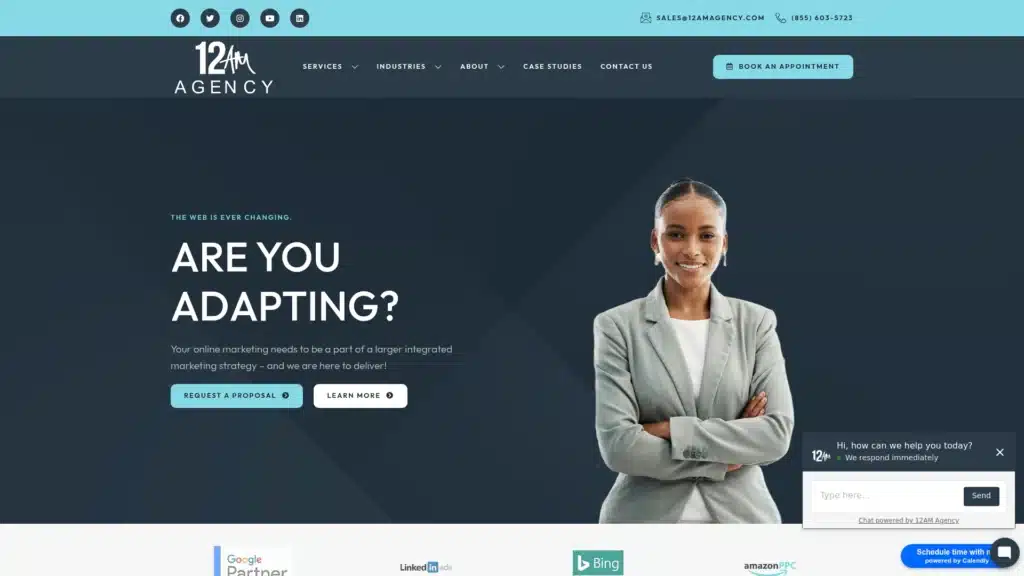
Capture Search Traffic from the First Screen
Your above-the-fold content sets the stage for every search session on your website. By aligning hero messaging with search intent, removing technical rendering delays, and prioritizing mobile usability, you transform passive search visitors into engaged leads.
At 12AM Agency, we help ambitious businesses build high-converting, search-optimized web experiences that drive measurable revenue growth. If you are ready to eliminate navigation friction and maximize your organic conversions, explore our comprehensive SEO services today.

